Showing posts with label photo effects. Show all posts

Monday, June 7, 2010

3D Polaroid effect

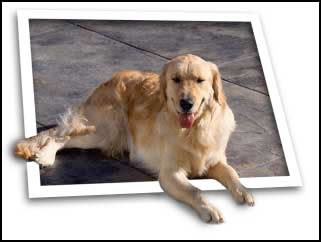
We are going to create a 3D polaroid styled photo effect. 
 Find a suitable photograph from which to create this effect. Some tips when picking a photograph include a distinguishable background and an area within the photograph that extrudes beyond the normal outline of the photo. In my example, the dog's leg makes this photograph a perfect candidate for this technique. Note, that this photograph is image #0520011 from Photospin.com. You can download a low resolution comp to follow along with this tutorial from their website.

Saturday, May 8, 2010

How to Create a Cosmic Photo Composition in Photoshop

How to Create a Cosmic Photo Composition in Photoshop CS4In this tutorial we’re going to learn how to create a cosmic photo manipulation using different Photoshop techniques, brushes and blending modes. Layered PSD file included. Let’s get started!

Tuesday, May 4, 2010

Create a Devastating Twister With Photo Manipulation Techniques

preview
If you’re looking to create a really nice photo manipulation, often you will have to combine several photos and apply a few effects to get your desired look. In today’s tutorial I decided to combine a few photos that I took while I was traveling to create a devastating tornado consuming everything in its path. Okay, let’s get started!

Create a Realistic Panoramic Matte Painting in Photoshop

preview

Matte paintings are images commonly used in the film industry to create the illusion of an environment that would otherwise be too expensive or impossible to build. In this tutorial I will show you how to turn a single stock photo into a realistic panoramic scene.


Wednesday, April 28, 2010

Create a Sleek and Stylish MP3 Player in Photoshop

One of the best ways to learn how to create amazing interfaces it to practice by creating electronic devices in Photoshop. These days just about everyone has some kind of MP3 device to play music. In this tutorial we will demonstrate how to create a sleek, stylish, and simple MP3 interface in Photoshop to play audio files for your Flash projects.

Saturday, April 24, 2010

Create a simple but creative graphic typography wallpaper design

done

In this tutorial we will be creating a very simple but creative typography wallpaper using photoshop.


There are many creative individuals who are wanting to become graphic designers everyday. Well today is your lucky day! In this tutorial we will be creating a very simple but creative typography wallpaper using photoshop.

Sunday, April 18, 2010

Create a Floating Island Scene

preview
In this photo manipulation tutorial, you will learn how to create a realistic composition of a sunset in a world with floating islands! We will cover professional-level Photoshop tricks such as adding accurate shadows and highlights, various blending techniques such as giving the image a soft focus effect and altering luminosity and shadows of the scene, adding haziness, and much more


Saturday, April 10, 2010

Book and Spiral Binding


Let's create an open book with Spiral Binding. You can create the book with pages and then add a spiral binding as a special effect. This is not suggested for beginners. You will also have to have a great deal of patience. It can be done is Photoshop CS. So let's begin

Diagonal Lines with Photoshop, Pencil Tool


The Pencil Tool is a rarely used tool in Photoshop.
You can create straight lines in Photoshop very easily
but what about diagonal lines? Nothing difficult though.
You can make this effect easily with this tutorial on creating diagonal lines with Photoshop.

Monday, April 5, 2010

Eye - Make an Eye in Photoshop


This tutorial will teach you to create a realistic human eye with Photoshop. So let's begin.

Sunday, March 28, 2010

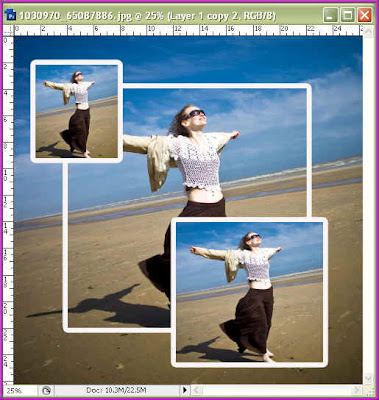
Framing Photos 4

You can frame your photos in different ways, here is another one. Most of it can be done in Photoshop 7, for two or three steps CS2 or CS3 is needed.
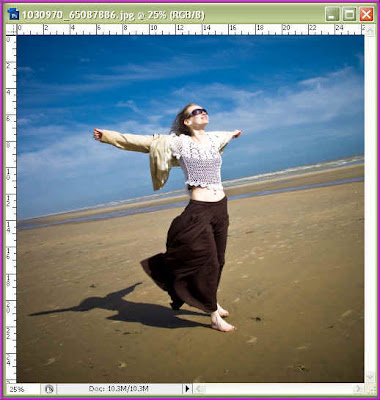
I have opened this image in Photoshop to 'frame'.

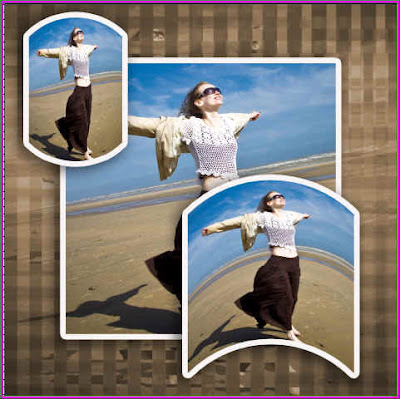
Here is the 'framed' photo.
To warp the frames you will need PS CS2 or CS 3.

Monday, March 22, 2010

Shattered Effect with Square Brush in Photoshop


One of the Brushes built into Photoshop, whatever be the version is the Square Brush. You may not have used it. You can use it to make a special effect -- Shattered effect. It is quite simple and can be done in any version of Photoshop.
The 'Shattered Effect'. It is simple and can done in any version of Photoshop.

Tuesday, March 9, 2010

Wings in Photoshop


Let us create a winged figure in photoshop. You need the wings first.

Comic Book effect with Photoshop CS

You can give a comic book effect to any image in Photoshop CS with a few layers and a number of built in Filters.

I have taken this free stock image. And applied the comic book effect.

Friday, March 5, 2010

Day into Night with Photoshop


Day can be changed to night in Photoshop. It is easy and can be done in a number of steps, you just have to have some patience. Get busy in turning day into night with Photoshop.

Saturday, February 27, 2010

Under water 2

After making the underwater scene as shown below.

You can add other elements to it.

Underwater - Using Gradients and Layers in Photoshop

You can easily create the sun's rays shining underwater for a special effect. This can be done with Gradients and Layers. It can be done in any version of Photoshop. So here we go.

Text Finger Painting

here is a finger painting option in Photoshop CS 3 which can be used for a great graphic effect.

Black and White To Color in Photoshop

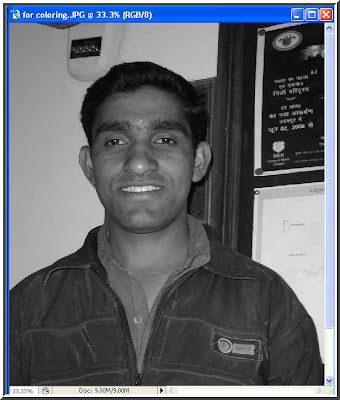
ll of us have old photos in black and white. It would be nice if they were in color. It can be done. Coloring a black and white photo is not a big deal, but it needs a great deal of patience. The steps are simple, but the work that goes behind it is exhausting.Follow these steps.

Cracked Egg efect with Photoshop

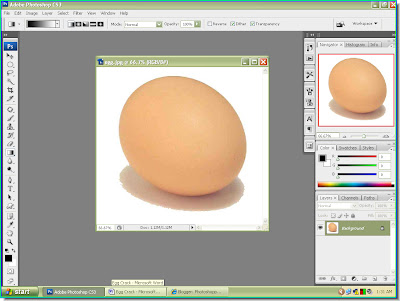
I will attempt to create a cracked egg and will make something emerge out of it. This can be done in any version of Photoshop.